

Download ZBrush – Professional 3D Sculpting Software, Free Trial, Windows & macOS
Overview
ZBrush, created by Pixologic, has become the benchmark for digital sculpting and high‑resolution 3D modeling. The application replaces traditional polygon‑based workflows with a brush‑centric approach that feels more like real‑world clay shaping than conventional CAD tools. Artists can push geometry to millions of polygons while the engine keeps the viewport responsive, making it possible to carve intricate details such as skin pores, fabric fibers, or mechanical rivets without compromising performance.
Because ZBrush integrates sculpting, painting, and rendering into a single environment, studios in game development, film production, and illustration can streamline their pipelines, reducing the need for round‑trip file exchanges between separate programs. The software also supports a vibrant community that constantly contributes plugins, tutorials, and free resources, which helps both beginners and seasoned professionals expand their skill set. While the learning curve is famously steep, the payoff is a creative sandbox where imagination is limited only by the artist’s patience and the hardware’s processing power.
Whether you are building a character for a AAA title, a creature for a blockbuster movie, or a concept piece for a portfolio, ZBrush delivers the precision, speed, and artistic freedom required to turn bold ideas into photorealistic assets.
Core Features & Workflow
- Dynamic Brushes: Over 200 customizable brushes let you sculpt, smooth, pinch, and inflate surfaces in real time, with pressure‑sensitive control for tablet users.
- DynaMesh: A live topology system that automatically retessellates the mesh as you sculpt, eliminating the need for manual retopology.
- Sculptris Pro: Enables voxel‑based sculpting on any subdivision level, giving you unlimited freedom to add detail without worrying about polygon count.
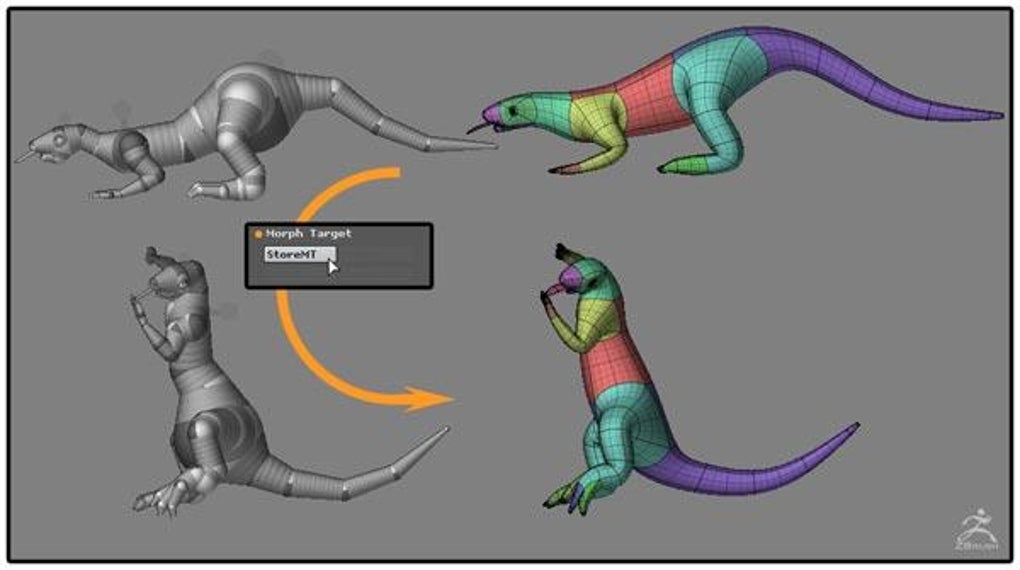
- ZSphere Rigging: Build complex base meshes quickly by arranging ZSpheres, then convert them into a fully editable geometry for rapid prototyping.
- Subdivision Levels: Switch seamlessly between low‑poly and high‑poly states, allowing you to work on broad forms before adding micro‑details.
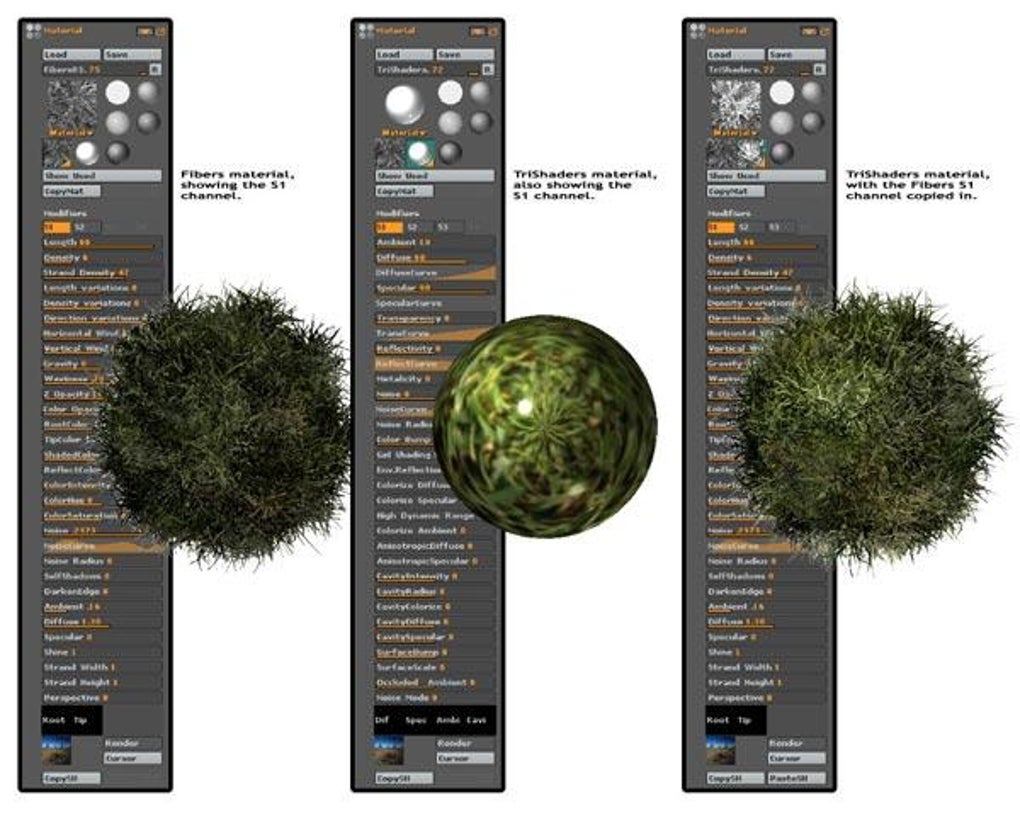
- PolyPaint & Spotlight: Paint directly onto the model’s surface without UV maps, and project reference images onto the mesh for accurate texture placement.
- Macro & Script Support: Record repetitive actions or write custom Python scripts to automate tasks, boosting efficiency for large projects.
- Custom UI & Hotkeys: Drag‑and‑drop palettes, create personal workspaces, and assign any function to a key combination that fits your workflow.
- Autosave & Versioning: Built‑in safety nets automatically save your progress at configurable intervals, preventing data loss during long sculpting sessions.
- Integrated BPR Renderer: A basic but fast renderer that produces quick previews; for final renders, export to external engines like KeyShot, Arnold, or Blender.
The combination of these tools creates a workflow where you start with a rough silhouette using ZSpheres, refine the shape with DynaMesh, add high‑resolution details via Sculptris Pro, and finally paint textures directly on the model. Symmetry options—including radial, bilateral, and custom axes—ensure that every brushstroke is mirrored instantly, saving countless hours on repetitive tasks. The interface, though dense, can be tailored to show only the palettes you use most, which eases the intimidation factor for newcomers. In practice, professional studios report that ZBrush reduces model‑creation time by up to 40 % compared to legacy polygon modeling pipelines, making it an indispensable tool for any serious 3D artist.
Installation, Usage & Compatibility
Getting ZBrush up and running is straightforward. The installer is available as a single executable for both Windows and macOS. After downloading the official installer, run the file and follow the on‑screen prompts: accept the license agreement, choose the destination folder (the default location is recommended for optimal performance), and select whether you want a desktop shortcut. The installer also checks for required Visual C++ redistributables on Windows; if they are missing, it will automatically download and install them.
Once installed, launch ZBrush and sign in with your Pixologic ID to activate the trial or full license. The trial version provides unrestricted access for 30 days, allowing you to explore every brush, plugin, and rendering option before committing to purchase. After activation, you can customize the UI by dragging palettes to new positions, saving the layout under Preferences → Save UI, and assigning hotkeys via Preferences → Hotkeys. For tablet users, calibrate pressure sensitivity in Preferences → Tablet to ensure brushes respond naturally.
Supported Operating Systems:
- Windows 10 (64‑bit) and later
- macOS 12 Monterey and later (Intel & Apple Silicon)
ZBrush does not have native Linux support, but many artists run it through compatibility layers such as Wine when needed. System requirements recommend at least 8 GB RAM (16 GB for heavy projects), a multi‑core CPU (Intel i7 / AMD Ryzen 7 or better), and a dedicated GPU with 2 GB VRAM for optimal viewport performance. SSD storage is highly recommended because project files can reach several gigabytes, especially when working with high‑poly meshes.
In everyday use, start a new project by selecting File → New Document. Adjust document size (pixels) and polygon count according to your target output—larger documents preserve detail for high‑resolution renders. Import reference images via Texture → Import and use Spotlight to project them onto the model. When you’re ready to export, choose Tool → Export and select formats such as OBJ, FBX, or STL, depending on whether you need geometry for game engines, 3D printing, or further compositing in other software. The workflow is deliberately modular, allowing you to integrate ZBrush into any pipeline, whether you’re a solo freelancer or part of a large VFX studio.
Pros & Cons, Frequently Asked Questions
Pros
- Unmatched sculpting detail with millions of polygons while staying responsive.
- Dynamic topology tools (DynaMesh, Sculptris Pro) remove the need for manual retopology.
- Extensive brush library and full UI customization for personalized workflows.
- Robust community offering free plugins, tutorials, and asset libraries.
- Cross‑platform support for Windows and macOS, with regular updates from Pixologic.
Cons
- Steep learning curve; the dense interface can overwhelm beginners.
- Built‑in BPR renderer is adequate for previews but not competitive with dedicated render engines.
- High‑end hardware is recommended for very large meshes, increasing the overall cost.
- No native Linux version, limiting accessibility for some studios.
- License price is relatively high compared with entry‑level sculpting tools.
Frequently Asked Questions
Is there a free version of ZBrush?
Pixologic offers a 30‑day free trial that includes all features. After the trial, you must purchase a license; there is no permanently free version, but the trial is sufficient to evaluate the software for professional use.
Can ZBrush handle 3D printing workflows?
Yes. ZBrush can export STL and OBJ files ready for 3D printing. The software also provides tools like ZRemesher to create watertight meshes, which are essential for successful prints.
What hardware is recommended for optimal performance?
A modern multi‑core CPU (i7/ Ryzen 7 or higher), at least 16 GB RAM, a dedicated GPU with 4 GB VRAM, and an SSD for storage. These specifications ensure smooth navigation of high‑poly models and quick load times.
How does ZBrush integrate with other 3D applications?
ZBrush exports common formats such as OBJ, FBX, and STL, allowing easy import into Maya, Blender, 3ds Max, or Unity. Many studios use a pipeline where base meshes are sculpted in ZBrush, then retopologized and animated in other DCC tools.
Is there a community or marketplace for ZBrush assets?
Absolutely. The ZBrushCentral forum, ArtStation, and Gumroad host thousands of free brushes, alphas, and texture packs. Pixologic also runs a curated marketplace where creators can sell premium resources.
Reviewer’s Verdict: ZBrush remains the gold standard for high‑detail digital sculpting. Its powerful brush system, dynamic topology, and seamless integration with industry pipelines outweigh the steep learning curve and higher price point. Artists willing to invest the time will find a tool that can truly push the boundaries of 3D art.
Conclusion & Call to Action
In the ever‑evolving world of 3D creation, ZBrush stands out as a mature, feature‑rich platform that continues to set the benchmark for digital sculpting. Whether you are a seasoned professional working on blockbuster visual effects or a hobbyist eager to explore high‑resolution modeling, the software offers a depth of control that few competitors can match. The combination of DynaMesh, Sculptris Pro, and an extensive brush library enables artists to iterate quickly, while the robust community ensures that help and resources are always within reach. Although the interface may feel daunting at first, the ability to customize every pane and shortcut means you can shape the workspace to fit your personal workflow, turning the initial complexity into a powerful advantage.
Ready to experience the future of 3D sculpting? Download the free 30‑day trial of ZBrush today, explore the tutorials, and join the global community of creators who trust ZBrush for their most ambitious projects. Invest in your artistic potential and let ZBrush transform your ideas into breathtaking, high‑poly masterpieces.







